


Raspberry Pi AI HAT+ 2 – Enhancing Generative AI (LLM/VLM) with Hailo-10H Processing Engine
Regular price
$1,254.15
$1,254.15
SPECIFICATIONS
Battery Included: No
Brand Name: cbhioarpd
High-concerned chemical: None
Model Number: Raspberry Pi AI HAT+ 2
Origin: Mainland China
Typical Application Fields: Education and Learning
The Raspberry Pi AI HAT+ 2 is an add-on board based on the 40 TOPS Hailo-10H AI accelerator with 8GB of dedicated on-board RAM that brings generative AI capability to Raspberry Pi 5.
While it delivers similar computer vision performance as the first-generation Hailo-8-based Raspberry Pi AI HAT+, the AI HAT+ 2 also adds support for large language models (LLMs) and vision-language models (VLMs) running locally without the need for Internet access. Target applications include offline process control, secure data analysis, facilities management, and robotics.
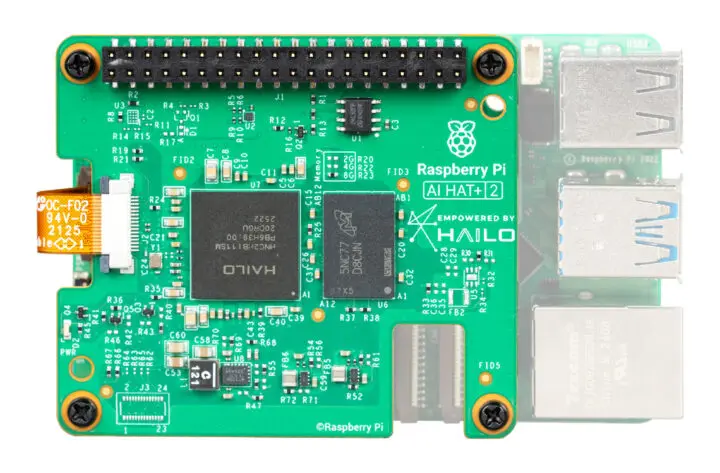
Raspberry Pi AI HAT+ 2 specifications:
-
AI accelerator – Hailo Hailo-10H
AI accelerator delivering 40 TOPS (INT4) inferencing performance
Performance for computer vision models comparable to the Raspberry Pi AI HAT+ (26 TOPS)
8GB on-board RAM
-
Host interface
PCIe Gen3 x1 FPC connector to Raspberry Pi 5
40-pin GPIO header (no signal used by the Hailo-10H, it only extends the GPIO header on the Pi)
-
Misc
Ships with 16mm stacking headers, spacers, and screwsfor installation with the Raspberry Pi 5 active cooler in place
Optional heatsink
Dimensions – 64.1 x 56.7 x 5.5mm (Raspberry Pi HAT+ compatible)
Temperature Range – 0°C to 50°C
Life cycle – In production until at least January 2036
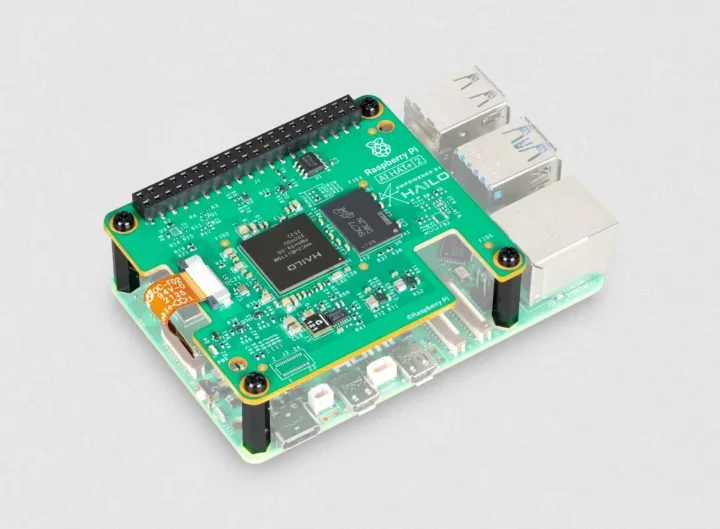
You’ll need an up-to-date Raspberry Pi OS image to get started, after which the system will automatically detect the Hailo-10H accelerator, which is fully integrated into Raspberry Pi’s camera software stack, notably the rpicam‑apps camera applications, libcamera, and Picamera2. You can find Generative AI models on the Hailo website and on GitHub, where you’ll also find Hailo-Ollama, an Ollama-compatible API written in C++ on top of HailoRT. The best way to get started is probably to check out the relevant documentation on the Raspberry Pi website.